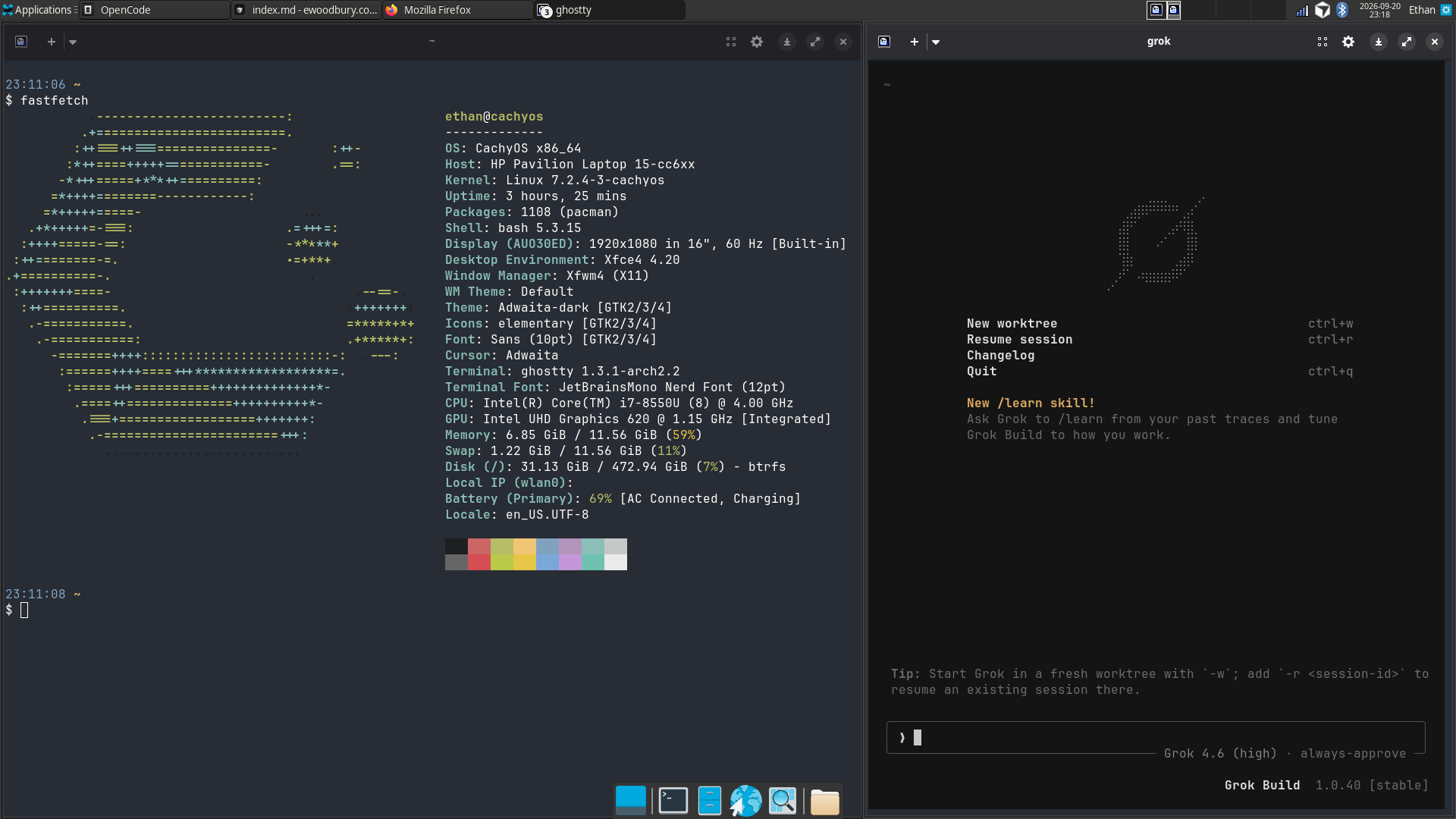
Reviving a 9-year-old laptop with Linux and new hardware
I have a 2017 HP Pavilion 15-cc6xx, with an Intel i7-8550U (8th-gen) and 12GB RAM. This machine has been through a lot: it’s what got me through my last 3 years of my Chemical Engineering degree, plus my first internship and job searches. I had replaced it with a Macbook Pro M1 back in 2022, so the HP has been sitting collecting dust for 5 years now!
I had actually tried out Linux before on a very old laptop while back in high school; it didn’t go great as the hardware was even worse, I set it as dual-boot to keep Windows which caused problems, but most of all I just didn’t keep at it long enough to get it to a great state.
This time around, I did a bit more research upfront, but most importantly, coding agents exist now! I do a lot of compute cluster and infra work at work now, and agents have changed the game from Googling and searching through forums to simply asking the agent. Linux has a similar problem profile of fiddly config knobs, so with agents it seemed like a great new opportunity to try it out. It led me to some hardware upgrades as well. Spoiler - it went great!
Final results:
- 45% shorter app startup times
- 61% faster browser performance
- ~3x faster sequential read/write speeds, ~49x faster random read latency
- ~3x longer battery life
Linux Install: CachyOS
Linux distros are a persistently hot topic, and I don’t have much new to add to that conversation. I chose CachyOS simply because it’s built to be resource-efficient, and because being Arch-based, it seemed to have a bit more room for customizability. The other distro I closely considered was NixOS, for its ideas around reproducibility, declarative builds, and basically the whole idea of defining an “OS as code” (OSaC?), but alas it will wait for another day.
The CachyOS install itself was mostly uneventful. I opted to do a full wipe of the Windows installation for simplicity. The steps were standard:
- Backed up remaining files I wanted to keep from Windows
- Downloaded the CachyOS ISO onto a spare 32GB USB drive
- Booted the HP into the BIOS menu
- Disabled HP Secure Boot, then rebooted into BIOS again (CachyOS seemed to not support Secure Boot at least for my HP)
- Selected to boot CachyOS from the USB
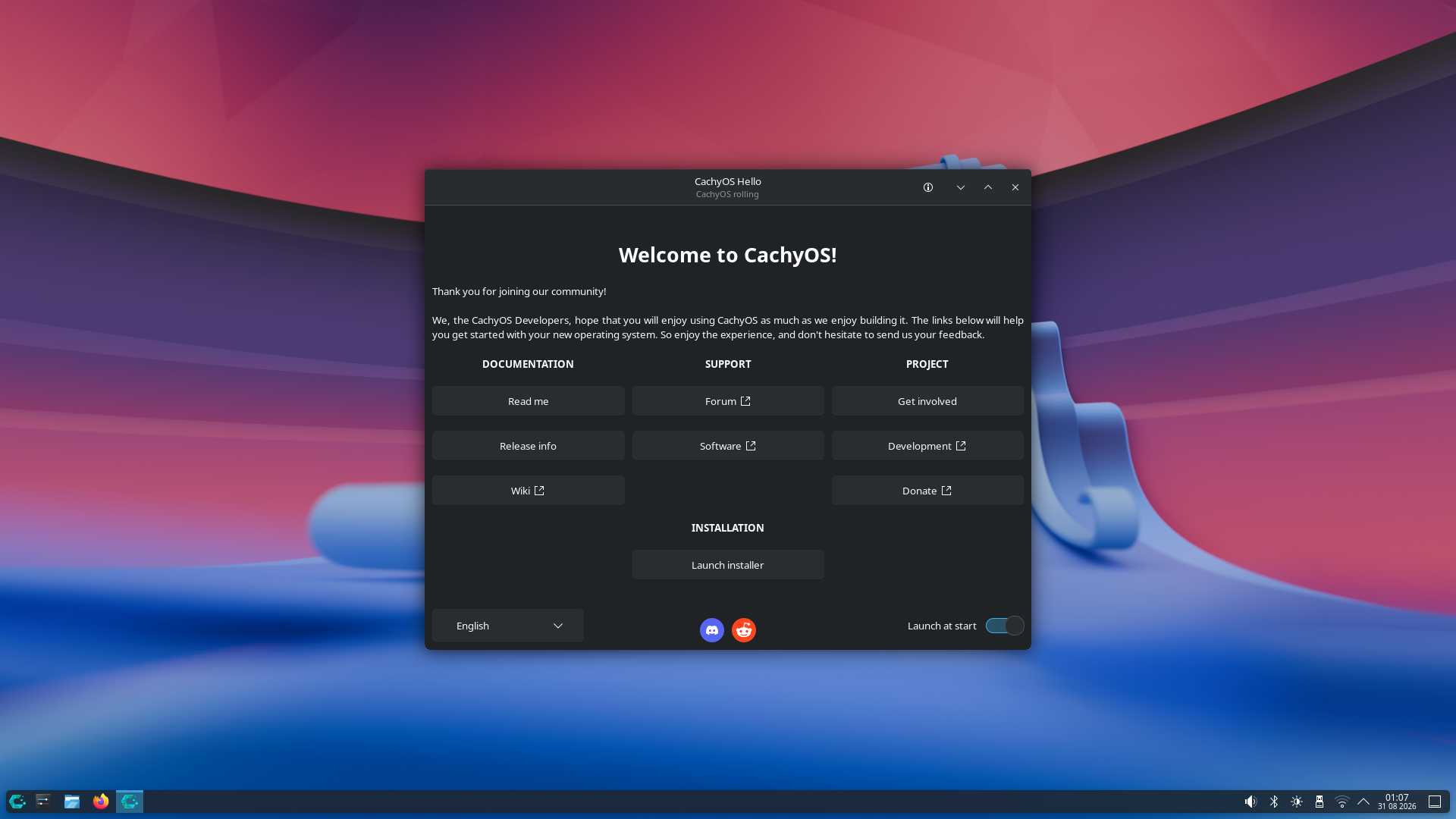
- Once booted into CachyOS in RAM (screenshot below), followed the installer to wipe the disk fully and installed CachyOS into there
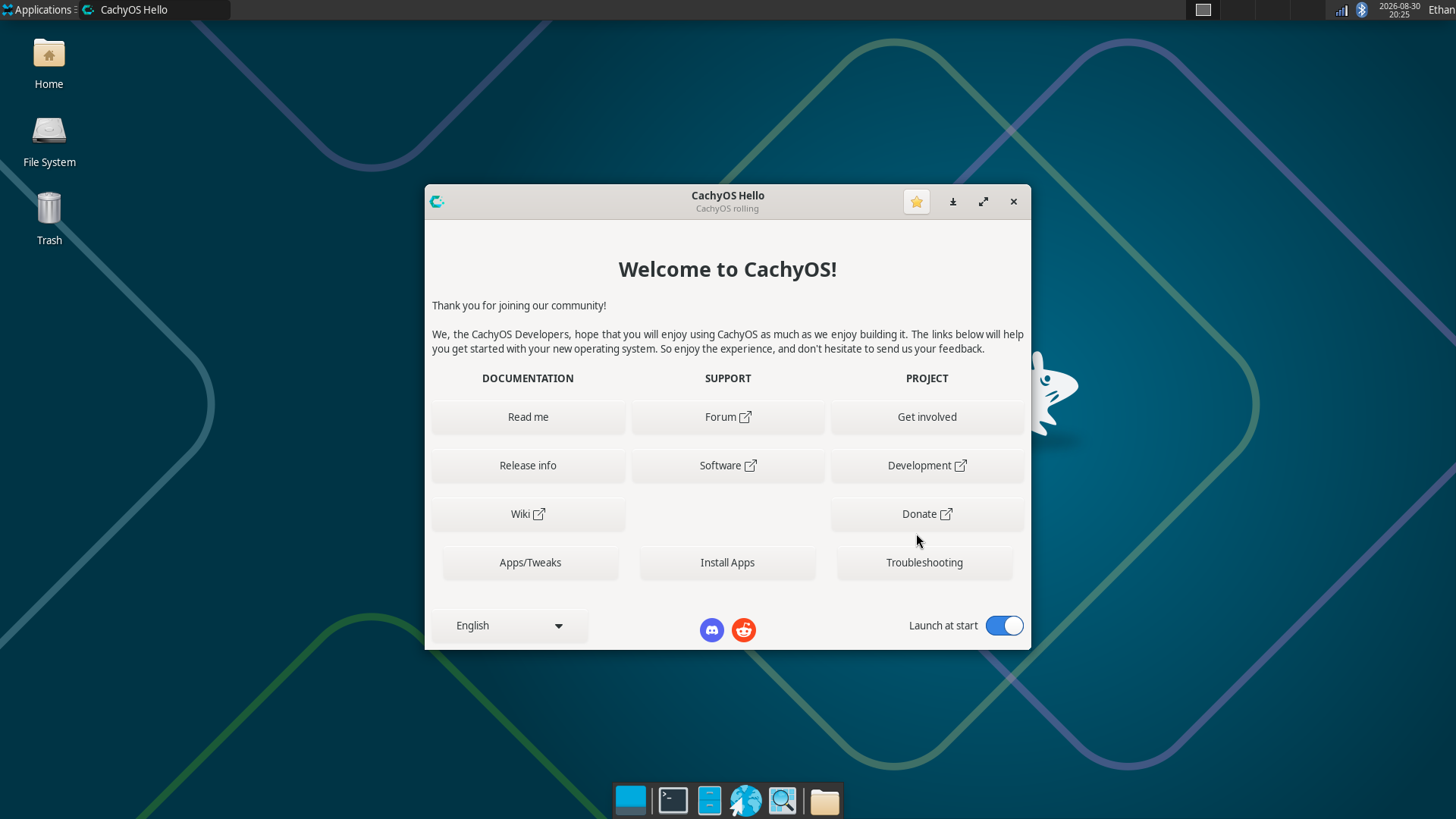
- Rebooted one last time, to finally get into the fresh disk install of CachyOS with my selected desktop environment (Xfce)
I had a couple hiccups to figure it all out, including identifying Secure Boot as the reboot issue and getting the disk partitions right in the installer. But I was able to have an LLM walk me through the main steps and help me get unstuck at each stage.
In the CachyOS installer, it also prompts to pick a desktop environment. After a bit more research I chose Xfce, again just for its focus on simplicity and resource efficiency. I’ve come to really liking it; it beats Windows by miles (of course) but I think I even prefer its overall experience over MacOS.
Linux Configuration and the Frozen Screen of Death
One issue started popping up as I used CachyOS: every couple of hours, the screen would freeze on its last frame and all input would go dead. It was a wedge rather than a regular OS crash: no OOM, no thermal event in the logs; the journal just stopped mid-line. The kernel never even got far enough to panic, and the only recovery from the freeze was a hard power-off.
A few things I tried:
- Switched to the LTS kernel - froze anyway, ruling out a regression in the CachyOS-tuned kernel
- Ran two full memtest86+ passes with zero errors - my mismatched 4GB + 8GB RAM sticks were the top suspect, but they were cleared
- Disabled WiFi power saving - froze anyway
- Checked disk health with SMART - clean
The real break was circumstantial: I (with Grok help) noticed several freezes hit seconds after the screensaver unlocked or the display woke up. Following that thread, I found a kernel worker, kworker/u33:3+i915_flip, stuck in uninterruptible sleep (D state) for 20+ minutes with no corresponding error in the kernel log. That worker exists to service display page-flips, which pointed to the i915 graphics driver.
Disabling Panel Self-Refresh (i915.enable_psr=0, an apparently flaky feature on this gen of Intel iGPUs) and display C-states (i915.enable_dc=0) on the kernel command line was the first big win, as it dropped the freeze frequency to every few days.
The final fix ended up being simple: turning off the Xfce compositor with xfconf-query -c xfwm4 -p /general/use_compositing -s false. The frozen i915_flip worker disappeared, rendering stayed hardware-accelerated, and there hasn’t been a display freeze since. The compositor’s page-flip path simply seems to hit some edge case and cause the worker wedge on this old GPU.
What I’d call out here is the lingering edge cases in setting up Linux on an old laptop; this kind of issue would have killed the whole project if I were lazier or didn’t have coding agents. The only reason I knew to try any of these potential fixes was that I could simply ping Grok to check my system logs and propose fixes, and that’s what ultimately suggested the compositor switch. I hope coding agents might help Linux and tinkering gain popularity.
SSD Upgrade
As I was debugging the frozen screen issue, and as I was just asking Grok/other models about the Linux install, one thing that came up with the slow disk speeds. It turns out this laptop was on a pretty budget HDD this entire time, and disk read speed was a huge bottleneck for basically every operation: boot times, app startup, file loading, etc. Memory swap was basically impossible, which explained why multitasking would always feel so sluggish back on Windows during my college days.
The coding agent figured out there was a spare, empty SSD slot in the laptop, and it measured the disk read speeds and used that to project that adding a basic M.2 SSD would speed up sequential reads by ~8-10x, and random reads (latency) by even more. HDD vs. SSD performance is well-known, and every new mid and upper-tier laptop has come with an SSD for many years now. It sounds silly to be spending money upgrading a 9-year-old laptop, but I had already spent the time reinstalling the OS and was eager to make it daily driver-worthy, so I pulled the trigger on a 512GB Timetec M.2 SATA 2280 SSD from Amazon for $72.
Once it arrived, I took off the bottom cover and installed the SSD. This was pretty easy; I’ve done the same with replacing the SSD in my Steam Deck, so I did the same here (there are many online guides and videos).
After reboot, the OS was still installed only on the HDD. I asked Grok Build to find the new SSD and help me get the OS set up there, and it was able to figure it all out! From what I understand, it created a new drive object within the OS on the SSD, copied the entire OS and filesystem over from the HDD, and then it set the startup settings to boot onto the SSD instead. The boot settings did not work at first: it booted back onto the OS on HDD a couple times, then it landed on the SSD, then back on the HDD. Finally it was able to figure out the configs and get the SSD set permanently.
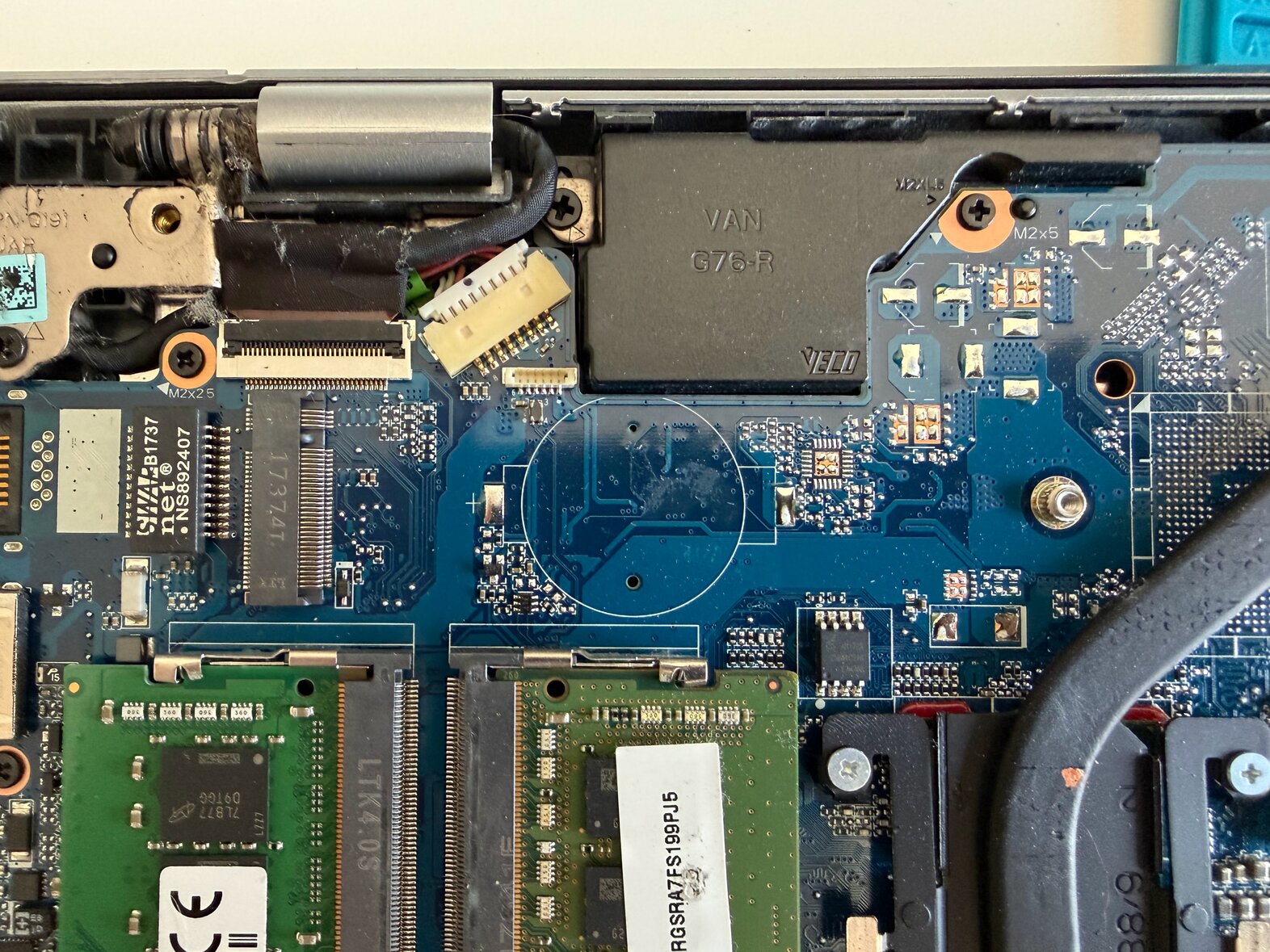
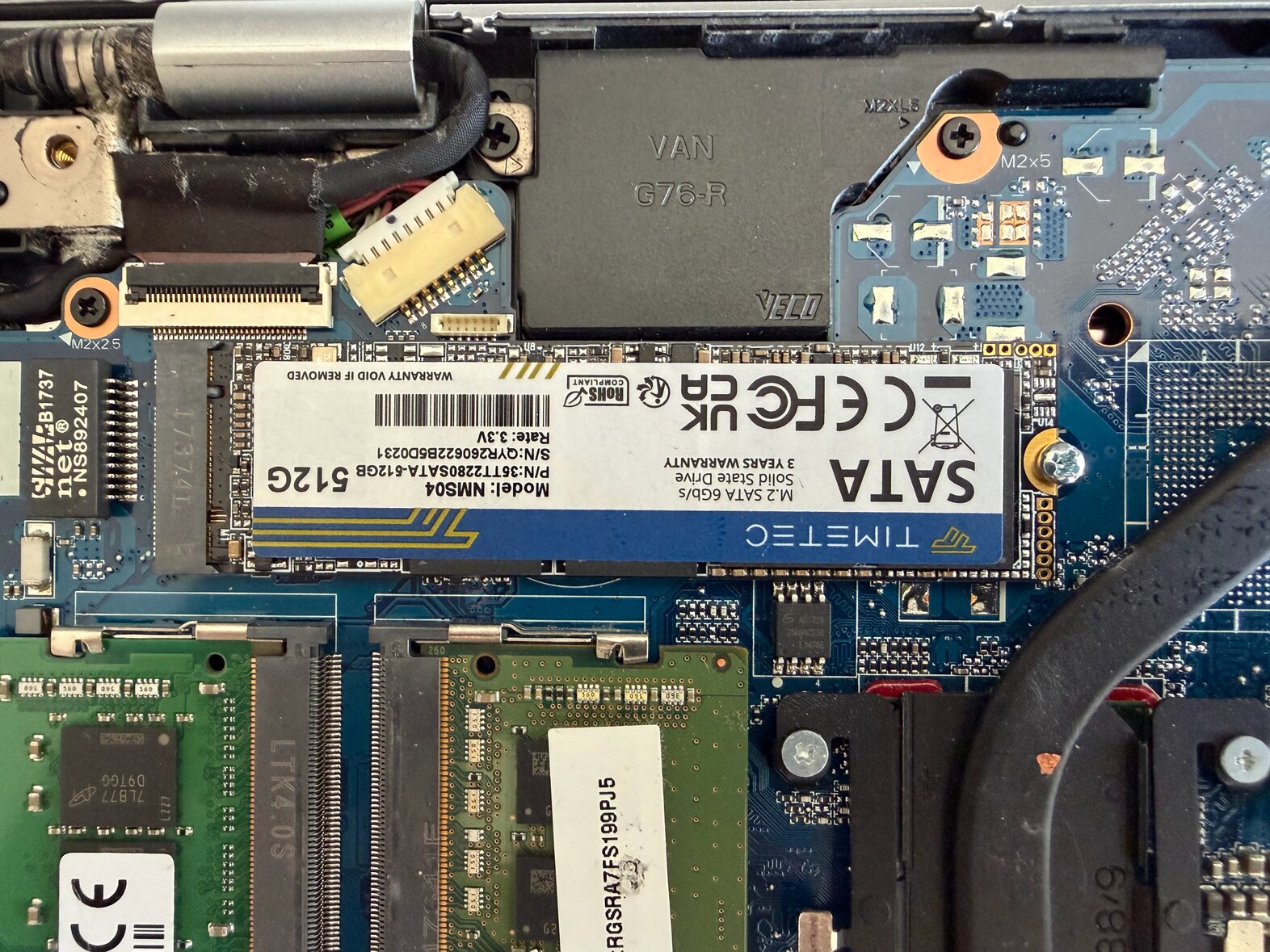
I was shocked at how much snappier everything was on SSD. Ghostty started in one second! Firefox in under two! I constantly using Alt-Tab to switch across windows, and Ctrl + Space to open App Finder, and those both seem to literally load instantly which makes a massive difference in OS feel. It blows my mind that I just accepted the slow HDD performance for so long, using it for Matlab projects to Python data analysis to Aspen HYSYS (heavyweight modelling software).
The HDD is still installed and holds the stale OS copy. I plan to wipe the OS there and then use the HDD as bulk storage, as it’s a full 1TB of good functional storage, but I haven’t gotten around to that yet.
For actual performance benchmarks, I did have the foresight to record some numbers before and after the upgrade - see Performance Summary below.
Battery Upgrade
The other hardware issue I figured out from Grok Build was the battery. I had always accepted that this HP laptop had terrible battery life; I broght the charging brick everywhere during school, and I memorized dozens of study spots across campus with outlet access. Anything more than a 1-2 hour study period and I knew the laptop battery wouldn’t make it.
The agent started out measuring average power draw around 5W, with heavy use going up to ~8-10W. With the design energy of 42Wh, and assuming a conservative 50-60% battery state of health after many years, that should be giving around 3 hours of mixed use battery life. But still, I was finding myself lucky to get even 1.5 hours, which measured up to ~15-20Wh of energy. It turns out the design capacity was being reported to the firmware as only 15.5Wh! Even on an old battery, this design capacity should show 42Wh. I’m still not 100% sure if the original battery was counterfeit (seems unlikely given the laptop was ordered from Costco), or if the battery just had major degradation and somehow had the capacity reproting reset maybe due to the OS switch. But it was clear a battery update was due if I wanted the laptop to be portable at all.
Again, I ordered a new replacement online: a TF03XL part number pouch cell battery, and I chose one sold by brand GHU for $33, since it seemed to have good reviews and a legit website. It came in, I cracked open the cover again, and I replaced the battery itself.
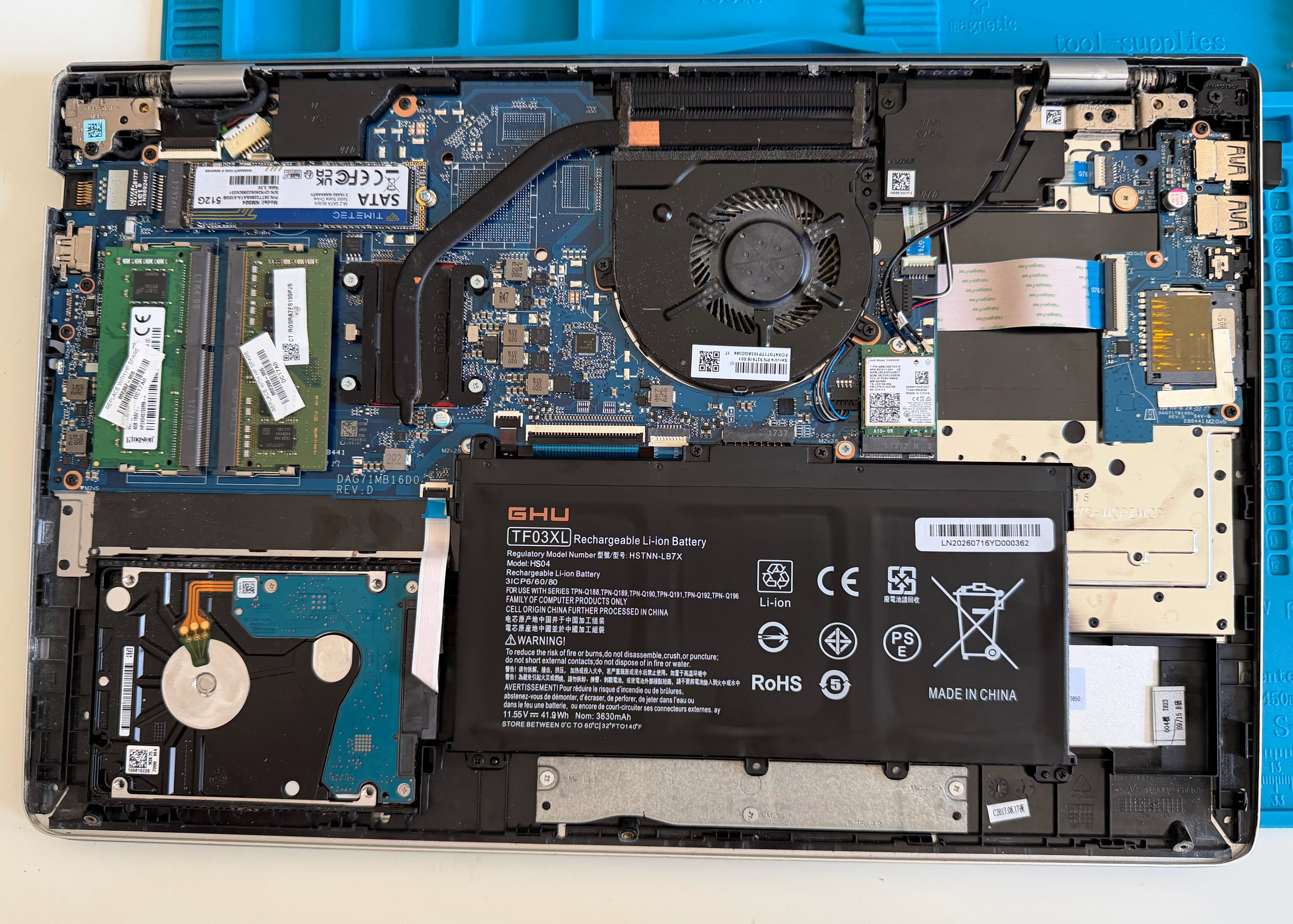
After reboot, it got stuck on a BIOS Unauthenticated error as I had to re-disable secure boot, then it booted healthy. I did a full capacity test from 100% to 10%, and once again this hardware upgrade did not disappoint: it gets 97% of the designed 42Wh energy. It’s getting an extremely healthy 6+ hours of mixed use battery life, more than double the previous life. Again, an amazing upgrade compared to before, and I kicking myself for not trying this when I was actually using this laptop all the time in college!
Performance Summary
All before/after numbers measured with identical methodology (fio direct I/O, systemd-analyze, hyperfine 10 runs), on the same OS and kernel.
Storage (fio, direct I/O):
| Metric | HDD (Seagate 1TB SMR) | SSD (Timetec M.2 SATA) | Change |
|---|---|---|---|
| Sequential write, 1M blocks | 80.2 MiB/s | 248 MiB/s | 3.1x |
| Sequential read, 1M blocks | 112 MiB/s | 307 MiB/s | 2.7x |
| 4K random read, QD1 | 96 IOPS | 4,658 IOPS | 48x |
| 4K random write, QD1 | 102 IOPS | 4,629 IOPS | 45x |
| Average op latency | ~10.3 ms | ~0.21 ms | ~49x |
Boot time (systemd-analyze):
| Stage | HDD | SSD |
|---|---|---|
| Userspace | 18.3 s | 10.9 s |
| To graphical target | 16.4 s | 9.5 s |
App startup (hyperfine, warm cache):
| Command | HDD | SSD | Change |
|---|---|---|---|
| Firefox | 55.9 ms | 30.7 ms | 1.8x |
| Chromium | 66.9 ms | 38.2 ms | 1.8x |
| Thunar | 85.8 ms | 31.1 ms | 2.8x |
| Ghostty | 78.0 ms | 42.7 ms | 1.8x |
Browser benchmark (Speedometer 3.1):
| Machine | Score |
|---|---|
| HP Pavilion (Windows, before) | 5.68 |
| HP Pavilion (CachyOS, after) | 9.18 |
| MacBook Pro M1 (reference) | 19.6 |
Battery:
| Metric | Old battery | New battery |
|---|---|---|
| Reported design capacity | 15.5 Wh (misreported) | 43.98 Wh |
| Gauge-learned full capacity | - | 42.87 Wh |
| Measured delivered energy (100% to 10%) | - | 37.24 Wh |
| Estimated true capacity | ~15 Wh | ~41.7 Wh |
| Runtime, mixed use | ~2 h | 6+ h |
Conclusion
Again, I’m incredibly pleased with the results here, and I’ve since been using this laptop as my daily driver. I have a few other projects I’m working on, but at some point I think it would be interesting to dip my toes into the distro development community too. If you’re interested at all in OSes, customization, or just free (as in speech + beer) software, I’d highly recommend dusting off that old laptop you have around and giving it a try.